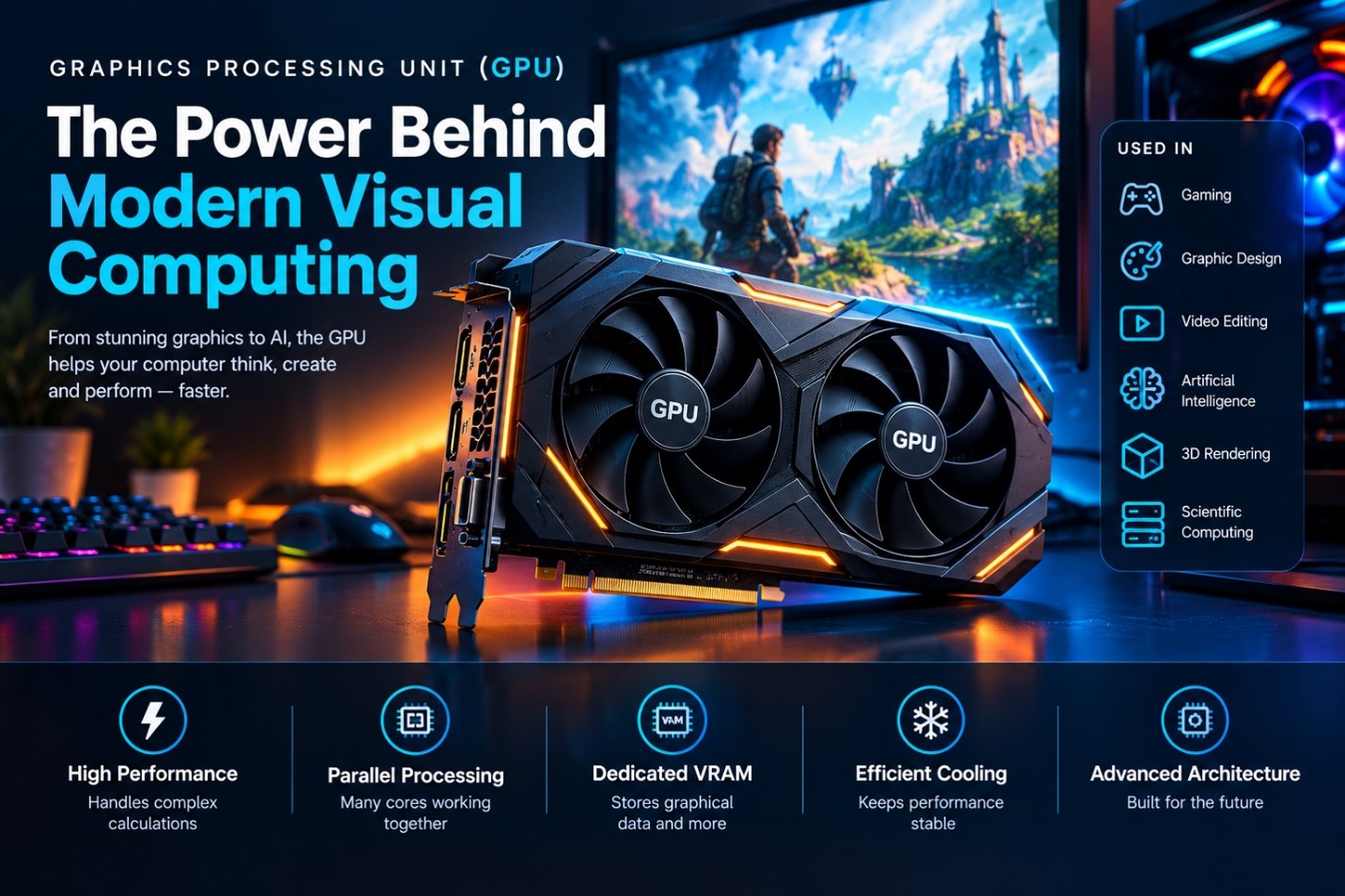
The Graphics Processing Unit (GPU) is one of the most important components in modern computers. Originally designed to process and display graphics, GPUs have evolved into powerful processors capable of handling a wide range of computational tasks.
A GPU works alongside the Central Processing Unit (CPU) to perform operations efficiently. While the CPU is designed to handle a broad variety of tasks, a GPU contains many processing units that can perform numerous similar calculations simultaneously.
Today, GPUs are essential in gaming computers, graphic design systems, video editing workstations, artificial intelligence, scientific computing, and professional visualization.
What Is a GPU?
GPU stands for Graphics Processing Unit.
A GPU is a specialized processor designed primarily to perform mathematical and graphical calculations. It processes visual information and helps generate images that are displayed on a monitor.
A GPU can handle tasks such as:
- Rendering 2D and 3D graphics
- Processing images
- Rendering videos
- Running games
- Accelerating artificial intelligence
- Performing parallel calculations
- Supporting professional visualization
Modern GPUs are no longer limited to graphics. They can also be used for general-purpose parallel computing.
Why Is a GPU Important?
A GPU plays a major role in determining how efficiently a computer can handle graphics-intensive workloads.
For example, when a computer runs a modern 3D game, thousands or millions of graphical operations may need to be performed rapidly. The GPU processes these operations and generates the visual output shown on the display.
A powerful GPU can provide:
- Higher graphical performance
- Better visual quality
- Smoother gaming
- Faster rendering
- Improved video processing
- Faster parallel computation
How Does a GPU Work?
The GPU receives graphical and computational instructions from software and processes them using its many processing resources.
A simplified process is:
Application → CPU → GPU → Graphics Processing → Display
For a game, for example:
- The game sends graphical instructions.
- The CPU manages game logic and other system tasks.
- The GPU processes graphics-related calculations.
- The GPU creates frames.
- The frames are sent to the display.
The process happens extremely quickly, allowing users to see smooth and responsive visual output.
Main Components of a GPU
A GPU contains several important components that work together.
- Processing Cores
GPU cores perform mathematical and graphical calculations.
Modern GPUs contain a large number of processing units, allowing them to perform many operations simultaneously.
- VRAM
VRAM stands for Video Random Access Memory.
It is dedicated memory used by the GPU to store graphical data and other information required for rendering.
VRAM may contain:
- Textures
- Frame buffers
- 3D models
- Shaders
- Rendering data
More VRAM can be useful when working with high-resolution textures, large displays, complex 3D scenes, and professional applications.
- Memory Controller
The memory controller manages communication between the GPU and its memory.
Efficient memory access is important for maintaining high GPU performance.
- Cooling System
Powerful GPUs generate heat during operation.
Therefore, GPUs commonly use:
- Fans
- Heatsinks
- Heat pipes
- Vapor chambers
- Liquid cooling in some systems
Effective cooling helps maintain stable performance.
Types of GPUs
GPUs can generally be divided into two major categories.
- Integrated GPU
An integrated GPU is built into the CPU or processor package.
It generally shares system memory with the computer.
Advantages
- Lower power consumption
- Lower cost
- No separate graphics card required
- Suitable for everyday computing
Integrated graphics are commonly sufficient for:
- Web browsing
- Office applications
- Online learning
- Video playback
- Basic photo editing
- Light gaming
- Dedicated GPU
A dedicated GPU is a separate graphics processor installed in the computer.
It has its own graphics memory, commonly called VRAM.
Dedicated GPUs are designed for more demanding workloads such as:
- High-end gaming
- 3D rendering
- Professional video editing
- Animation
- CAD applications
- Artificial intelligence
- Scientific computing
GPU and VRAM
VRAM is an important part of a dedicated graphics card.
When a game or professional application needs to process visual data, the GPU stores frequently required information in VRAM.
VRAM Can Store
- Textures
- Game assets
- Frame buffers
- Shaders
- 3D models
- Rendering information
Higher resolutions and more complex graphics generally require more memory.
GPU in Gaming
Gaming is one of the most well-known applications of GPUs.
Modern games use GPUs to render complex environments, characters, lighting, shadows, reflections, and other visual effects.
A powerful GPU can help provide:
- Higher frame rates
- Higher resolutions
- Better textures
- Improved lighting
- Advanced visual effects
- Smoother gameplay
However, gaming performance depends on more than the GPU. The CPU, RAM, storage, cooling, game settings, and display also influence the overall experience.
GPU in Graphic Design
GPUs are also important for graphic designers.
Applications used for image editing, illustration, animation, and visual effects can use GPU acceleration for certain operations.
A GPU can help with:
- Image processing
- Canvas rendering
- Filters
- Visual effects
- 3D design
- Animation previews
For designers working with large files and complex visual projects, a capable GPU can improve workflow responsiveness.
GPU in Video Editing
Video editing involves processing large amounts of visual information.
Modern editing applications can use GPUs to accelerate certain tasks such as:
- Video effects
- Transitions
- Color processing
- Playback
- Encoding
- Rendering
A stronger GPU can therefore be valuable for users working with high-resolution video and complex effects.
GPU in Artificial Intelligence
GPUs have become extremely important in artificial intelligence and machine learning.
Many AI workloads involve performing large numbers of mathematical operations simultaneously. GPUs are well suited to this type of parallel processing.
They can be used for:
- Machine learning
- Deep learning
- Neural network training
- AI inference
- Data processing
- Scientific research
This has made GPUs an important part of modern AI computing infrastructure.
GPU in 3D Rendering
3D rendering requires large numbers of calculations to generate realistic images.
GPUs can accelerate rendering operations used in:
- 3D modeling
- Animation
- Architecture
- Game development
- Product visualization
- Visual effects
Professionals working with complex 3D scenes often benefit from GPUs with strong computational performance and sufficient VRAM.
GPU vs CPU
Although CPUs and GPUs are both processors, they are designed for different types of workloads.
| CPU | GPU |
| General-purpose processor | Specialized parallel processor |
| Usually has fewer powerful cores | Usually has many smaller processing units |
| Excellent for sequential tasks | Excellent for parallel tasks |
| Handles operating system tasks | Handles graphics and parallel workloads |
| Important for applications and system logic | Important for rendering and computational acceleration |
The CPU and GPU are complementary components. Modern computers often achieve the best performance when both work together.
Factors That Affect GPU Performance
Several specifications influence GPU performance.
- Processing Power
The computational capability of the GPU affects how quickly it can process graphical and mathematical workloads.
- VRAM Capacity
More VRAM can be beneficial for high-resolution graphics, complex scenes, and demanding applications.
- Memory Bandwidth
Memory bandwidth determines how quickly data can move between the GPU and its memory.
- Architecture
Different GPU architectures can provide different levels of performance and efficiency.
- Cooling
A GPU needs effective cooling to maintain stable performance during demanding workloads.
GPU in Professional Computing
GPUs are widely used beyond consumer computers.
Professional applications include:
- Engineering
- Scientific research
- Medical visualization
- Architecture
- Simulation
- Financial modeling
- Data analysis
- Artificial intelligence
- Cloud computing
Their ability to perform many calculations simultaneously makes them valuable for computational workloads.
Advantages of GPUs
GPUs provide several important benefits.
Key Advantages
- Excellent parallel processing capability
- High graphics performance
- Faster rendering
- Improved gaming experience
- Support for professional applications
- Useful for AI and machine learning
- Acceleration of certain computational workloads
Limitations of GPUs
Despite their advantages, GPUs also have some limitations.
Common Limitations
- Dedicated GPUs can be expensive
- They can consume significant power
- High-performance GPUs generate considerable heat
- They may require additional cooling
- Not every application benefits significantly from GPU acceleration
- Compatibility and power requirements must be considered when upgrading
How to Choose the Right GPU
The correct GPU depends on the intended workload.
For Basic Computing
An integrated GPU may be sufficient for:
- Browsing
- Office work
- Education
- Video playback
For Gaming
Consider:
- GPU performance
- VRAM capacity
- Target resolution
- Desired frame rate
- Power requirements
For Design and Video Editing
Consider:
- VRAM
- Rendering performance
- Application compatibility
- Video processing capabilities
For AI and Professional Work
Consider:
- Compute performance
- VRAM capacity
- Software ecosystem
- Memory bandwidth
- Cooling
- Power requirements
Maintaining a GPU
Proper maintenance can help keep a GPU operating reliably.
Useful Practices
- Keep the computer’s cooling system clean.
- Ensure adequate airflow inside the case.
- Monitor GPU temperatures during demanding workloads.
- Keep graphics drivers updated when appropriate.
- Avoid blocking ventilation openings.
- Make sure the power supply is suitable for the GPU.
- Keep the GPU securely installed.
Future of GPU Technology
GPU technology continues to develop rapidly.
Future GPUs are expected to focus on:
- Higher performance
- Better energy efficiency
- Advanced graphics rendering
- AI acceleration
- Improved ray tracing
- Higher memory capacity
- More advanced parallel computing
As gaming, artificial intelligence, virtual reality, scientific computing, and professional visualization continue to grow, GPUs will remain an important part of modern computer systems.
Conclusion
The Graphics Processing Unit is a powerful and specialized component that plays an essential role in modern computing. From rendering games and processing images to accelerating artificial intelligence and scientific workloads, GPUs can perform large numbers of calculations efficiently.
A GPU works together with the CPU rather than replacing it. While the CPU handles general-purpose tasks and system operations, the GPU specializes in graphics and highly parallel workloads.
Understanding GPU types, VRAM, processing capabilities, cooling, and intended usage can help users choose the right graphics solution for their computer.
Leave a Reply