Introduction
A Solid-State Drive (SSD) is one of the most important storage technologies used in modern computers. It provides permanent storage for operating systems, applications, documents, photographs, videos, games, and other digital files.
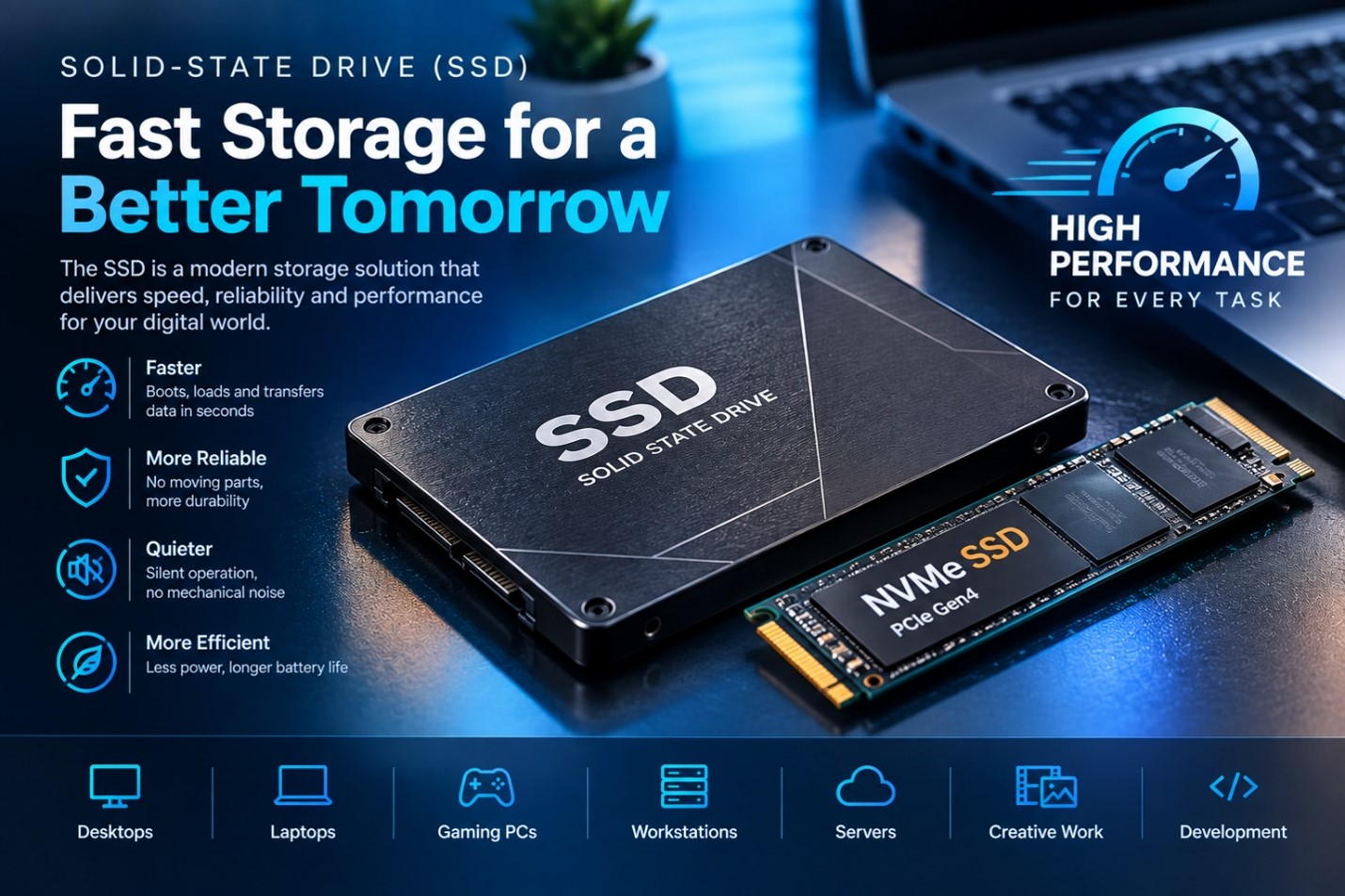
Unlike traditional hard disk drives (HDDs), SSDs do not use spinning disks or mechanical read/write heads. Instead, they use flash memory to store data electronically. This design allows SSDs to provide fast access to data, low latency, quiet operation, and strong resistance to physical shock.
Today, SSDs are widely used in desktop computers, laptops, gaming systems, workstations, servers, and professional computing environments.
What Is an SSD?
SSD stands for Solid-State Drive.
An SSD is a non-volatile storage device, which means it can retain stored information even when the computer is turned off.
An SSD can be used to store:
- Operating systems
- Applications and software
- Documents
- Photos
- Videos
- Games
- Programming projects
- Design files
- Backups
- Business data
The main purpose of an SSD is to provide reliable long-term storage while allowing the computer to access stored information quickly.
How Does an SSD Work?
An SSD stores information electronically using NAND flash memory. Instead of physically moving a disk or read/write head, the SSD accesses memory cells electronically.
Basic Working Process
User Request → Operating System → SSD Controller → Flash Memory → Data Retrieved
The SSD controller manages communication between the computer and the flash memory. It also performs important tasks such as managing data placement, error correction, and wear management.
Because there are no moving mechanical parts, SSDs can access data much faster than traditional mechanical hard drives in many workloads.
Main Components of an SSD
An SSD contains several important components that work together.
- NAND Flash Memory
NAND flash is the primary storage medium inside an SSD. It stores the actual user data.
Different types of NAND flash provide different combinations of:
- Capacity
- Performance
- Cost
- Endurance
- SSD Controller
The controller acts as the management system of the SSD.
It handles tasks such as:
- Reading data
- Writing data
- Managing flash memory
- Error correction
- Wear management
- Communication with the computer
The controller has a significant influence on SSD performance and reliability.
- DRAM or Cache
Some SSDs include dedicated DRAM that can help manage mapping information and improve performance.
Other SSDs may use different approaches, such as Host Memory Buffer, particularly in some DRAM-less NVMe designs.
- Firmware
SSD firmware controls many of the drive’s internal operations.
It helps manage:
- Data organization
- Error correction
- Memory management
- Wear leveling
- Garbage collection
- Drive performance
Types of SSDs
There are several common SSD form factors and interfaces.
- SATA SSD
SATA SSDs use the Serial ATA interface.
They are commonly available as 2.5-inch drives and are widely compatible with computers that provide SATA connections.
Features
- Fast access compared with traditional HDDs
- Easy to install
- Broad compatibility
- Suitable for general computing
- Limited by the SATA interface compared with modern PCIe NVMe drives
- M.2 SSD
M.2 refers primarily to a physical form factor rather than a specific storage protocol.
M.2 SSDs are small circuit-board-style drives that fit directly into an appropriate motherboard slot.
An M.2 drive may use different interfaces, so users should check their motherboard specifications before purchasing one.
- NVMe SSD
NVMe stands for Non-Volatile Memory Express.
NVMe is a storage protocol designed to work efficiently with high-speed PCI Express connections.
NVMe SSDs can provide very high throughput and low latency, making them suitable for demanding workloads.
Common Uses
- Gaming computers
- High-performance laptops
- Video editing
- Professional workstations
- Software development
- Large data processing
SSD Form Factors
SSD performance is not determined by physical size alone. Different form factors are designed for different systems.
Common Form Factors
- 2.5-inch
- M.2
- U.2
- PCIe expansion cards
Before installing an SSD, it is important to verify that the computer supports the required form factor and interface.
Important SSD Specifications
When choosing an SSD, several specifications should be considered.
- Storage Capacity
SSD capacity is usually measured in gigabytes or terabytes.
Common capacities include:
- 256 GB
- 512 GB
- 1 TB
- 2 TB
- 4 TB
- 8 TB and higher for some products
The required capacity depends on the user’s workload.
- Sequential Read Speed
Sequential read speed describes how quickly an SSD can read large blocks of data under specified test conditions.
High sequential read performance can be useful for:
- Large file transfers
- Video editing
- Loading large datasets
- Moving project files
- Sequential Write Speed
Sequential write speed describes how quickly an SSD can write large blocks of data.
It can be important for:
- Copying large files
- Installing software
- Video production
- Creating large project files
- Random Performance
Random read and write performance measures how well the SSD handles smaller, scattered data operations.
This can be particularly important for:
- Operating systems
- Applications
- Databases
- Software development
- Multitasking
- Endurance
SSD endurance describes how much data can be written to a drive over its expected useful life.
It is often expressed using TBW, or Terabytes Written.
Higher endurance can be important for systems that perform frequent and intensive write operations.
Types of NAND Flash
NAND flash can be categorized by the number of bits stored in each memory cell.
SLC
Single-Level Cell stores one bit per cell.
Characteristics
- High endurance
- Fast performance
- Expensive per gigabyte
- Common in specialized applications
MLC
Multi-Level Cell stores two bits per cell.
It can provide a balance between performance, endurance, and cost, although true consumer MLC SSDs are now much less common.
TLC
Triple-Level Cell stores three bits per cell.
TLC is widely used in consumer SSDs because it provides a practical balance of:
- Capacity
- Performance
- Cost
- Endurance
QLC
Quad-Level Cell stores four bits per cell.
QLC can provide high storage density and lower cost per gigabyte, although write performance and endurance characteristics can differ from TLC.
SSD vs HDD
SSDs and HDDs are both storage devices, but they use different technologies.
| SSD | HDD |
| Uses flash memory | Uses magnetic disks |
| No moving parts | Contains moving mechanical parts |
| Very low access latency | Higher access latency |
| Quiet operation | Mechanical noise |
| More resistant to physical shock | More sensitive to physical shock |
| Generally faster for everyday access | Generally slower |
| Usually costs more per GB | Usually costs less per GB |
For many modern computers, an SSD provides a significant improvement in system responsiveness compared with a mechanical HDD.
Advantages of SSDs
SSDs provide several important benefits.
Key Advantages
- Fast performance
- Quick system startup
- Faster application loading
- No moving mechanical parts
- Quiet operation
- Good resistance to physical shock
- Compact designs
- Low access latency
Limitations of SSDs
Although SSDs have many advantages, they also have limitations.
Common Limitations
- Higher cost per gigabyte than many HDDs
- Flash memory has finite write endurance
- Performance can vary between models
- Some high-performance SSDs generate significant heat
- Storage capacity and interface compatibility must be considered
- Data recovery from a failed SSD can be difficult
For important data, users should always maintain appropriate backups regardless of the storage technology being used.
SSDs in Gaming
SSDs have become increasingly important in modern gaming systems.
They can improve:
- Game launch times
- Level loading
- Installation speed
- Update installation
- General system responsiveness
However, an SSD does not automatically increase graphics quality or frame rate. Gaming performance also depends on the CPU, GPU, RAM, software, and game settings.
SSDs in Graphic Design and Video Editing
Professional creative workloads often involve large files and demanding applications.
SSDs can be useful for:
- Photoshop projects
- Video editing projects
- High-resolution images
- 3D models
- Animation files
- Large media libraries
Fast storage can reduce waiting times when applications read and write large project files.
SSDs in Programming and Software Development
Software developers frequently work with many files, development environments, databases, and build tools.
An SSD can improve the responsiveness of:
- Code editors
- IDEs
- Compilers
- Local development servers
- Databases
- Virtual machines
- Software repositories
Fast random access can be particularly useful when working with many small files.
SSDs in Servers and Data Centers
SSDs are also widely used in professional and enterprise environments.
They can support:
- Databases
- Virtual machines
- Cloud applications
- Web servers
- Data analytics
- Enterprise applications
Enterprise SSDs may include features designed for higher workloads, endurance, reliability, and data-center requirements.
SSD Maintenance Tips
SSDs generally require little physical maintenance, but good storage practices are still important.
Recommended Practices
- Keep important files backed up.
- Install the correct firmware when appropriate.
- Leave some free space available.
- Use the manufacturer’s recommended tools when necessary.
- Avoid unnecessary continuous write-heavy operations.
- Monitor drive health where supported.
- Ensure adequate cooling for high-performance NVMe drives.
Modern operating systems generally handle TRIM automatically when supported, helping SSDs manage deleted data efficiently.
How to Choose the Right SSD
Choosing an SSD depends on the computer and the user’s workload.
For Basic Users
A SATA SSD or entry-level NVMe SSD can be suitable for:
- Web browsing
- Office work
- Online learning
- General applications
For Gamers
Consider:
- NVMe interface
- Adequate capacity
- Strong random performance
- Good thermal management
For Professionals
For video editing, 3D work, programming, and large datasets, consider:
- Higher capacity
- Strong sustained performance
- Appropriate endurance
- Reliable controller and NAND
- Suitable cooling
Future of SSD Technology
SSD technology continues to develop as the demand for faster and higher-capacity storage increases.
Future developments are expected to focus on:
- Higher storage densities
- Faster interfaces
- Improved power efficiency
- Better endurance
- Advanced controllers
- Higher capacities
- Improved thermal management
As applications become more data-intensive, high-performance storage will continue to play an important role in modern computing.
Conclusion
The Solid-State Drive has transformed computer storage by replacing mechanical movement with fast electronic flash memory. Its low latency, quiet operation, compact design, and strong performance have made it an essential component of modern computing systems.
From everyday laptops and desktop computers to gaming PCs, professional workstations, and enterprise servers, SSDs support a wide range of workloads.
Understanding factors such as capacity, interface, form factor, NAND type, read/write performance, and endurance can help users select the right SSD for their needs.
Leave a Reply